Is LinkedIn Good for Finding Jobs?

Yes, for discovery and passive recruiter inbound. No, as the button you actually click to apply. Users report the platform works better for tech and higher-comp roles than for entry-level or admin.
Career advice pushes LinkedIn as the default: build the profile, hit Easy Apply, wait. The button most people use is the weakest thing on the platform. The stronger parts (passive inbound, targeted search filters, direct sourcer conversations) get skipped because nobody explains them.
Why Easy Apply is the weakest thing on the platform
Easy Apply is designed to reduce friction. That's the entire problem. When applying takes 20 seconds instead of 20 minutes, everyone applies, and the resulting pool is unreadable for the person on the receiving end.
"LinkedIn Easy can work, but you'll often be in a larger applicant pool. When I've hired for roles, our LinkedIn Easy bucket usually gets 500+ applicants. We still do reach out to some of them, but I'm sure we've also missed some great candidates just due to the high volume."
Hiring manager, r/jobsThe receiving end tells the same story from a different angle. A hiring manager posting a role in a peer community described getting 50 applications in the first 24 hours, with exactly one of them tailored to the posting. Everyone else was competing for the recruiter's attention with the same generic profile summary, in a bucket where being generic is the default outcome.
LinkedIn also caps every user at a single active resume upload. If you're applying across roles with genuinely different targeting, Easy Apply forces you to compromise the resume on some of them.
The volume approach doesn't rescue this. Sending 50 Easy Applies puts you in 50 buckets of 500 people. Sending 5 tailored applications to companies that fit puts you in 5 pools where the specific match matters.
One case where Easy Apply is worth using: a posting that just went live (under 10 applicants filter, covered further down) at a company you'd otherwise apply to directly. In that window, the bucket is still small enough for a recruiter to read individually, and the friction the button removes is friction you'd have paid on the company site anyway. Once the applicant count crosses ~50, the direct-apply pattern outperforms.
The Huntr number in context: Google Jobs converts at 9.3% and Glassdoor at 7.3% on the same dataset. Pool size drives whether a resume gets a human read.
The pattern that actually works
Find the role on LinkedIn, then apply directly on the company's own careers page. It's a five-minute detour that moves you from the 500-person Easy Apply bucket into whatever pipeline the hiring team is actually searching.
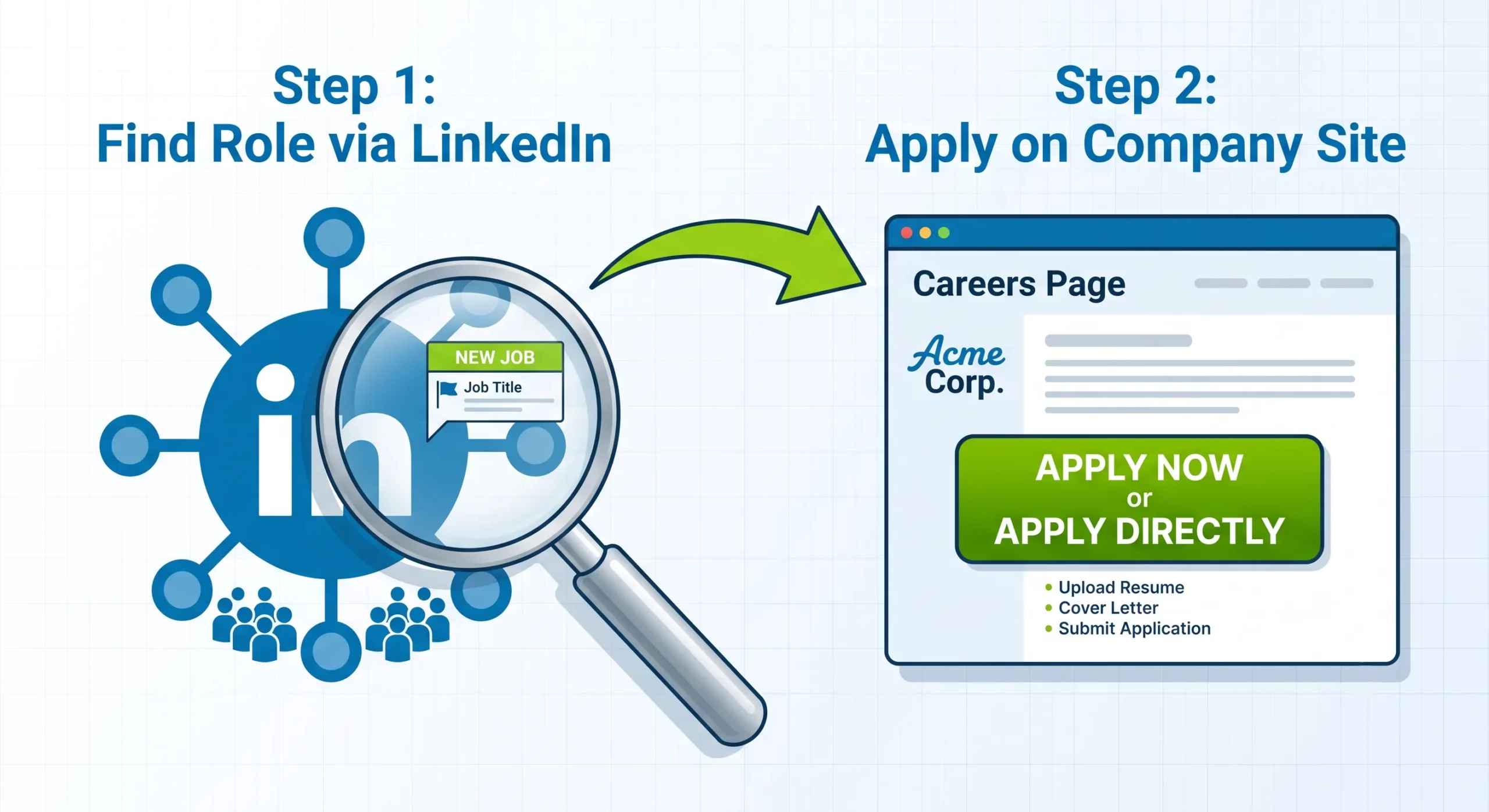
Steps that matter:
- Search on LinkedIn and open the posting.
- Click through to the company name, then to their careers page.
- Find the same role on the careers site (or search by title if the URL isn't linked).
- Apply there, using a resume tailored to that specific posting.
One tactical detail worth knowing: when you land on the company's site from LinkedIn, the URL often carries tracking parameters that tag your application as a platform referral in the applicant tracking system. Strip everything after the main URL path (usually anything starting with ? or #) before submitting. Small thing, but it stops the ATS from routing you back into the same bucket you were trying to leave.
The passive game: let LinkedIn find you
The strongest thing on the platform is the sourcing pipeline running quietly against your profile. Third-party sourcers and in-house talent teams use LinkedIn Recruiter (the paid back-end tool) to search by keywords, skills, current title, current company, and location. A profile that matches those search criteria surfaces in that queue whether you're actively looking or not.
Jobvite's Recruiter Nation report puts the share of recruiters actively using LinkedIn as a hiring channel at roughly 95%. The platform crossed 1 billion members globally in 2023. Combined, those two numbers are the reason a searchable profile compounds even when you're not actively applying.
The pattern that keeps showing up in first-person accounts: someone builds out their profile once, doesn't touch the feed, doesn't apply to anything, and lands their next job through a cold message six months later. Multiple people describe their last three or four roles coming from this channel, often with 30 to 100% pay increases, because inbound conversations start from a position of leverage the outbound flow can't match.
"I've made two moves due to recruiters, upped my salary 50%."
r/jobsWhat makes this work isn't the profile being "complete." It's the profile being searchable. If a sourcer types "Product Manager Salesforce SaaS" into their search, your profile has to contain those exact words, in the places their tool weights (headline, current role title, skills section, past role descriptions). Vague summaries like "results-driven leader" match nothing. Specific tools and product categories match everything.
Second-degree connections are the practical InMail workaround. Even without Premium, a warm intro through a mutual contact lands in someone's normal inbox instead of the InMail folder most people ignore.
Two search filters most searches skip
If you are going to apply through LinkedIn (because the company doesn't take applications elsewhere, or the posting is genuinely fresh), two filters change the math on which roles are worth your time:
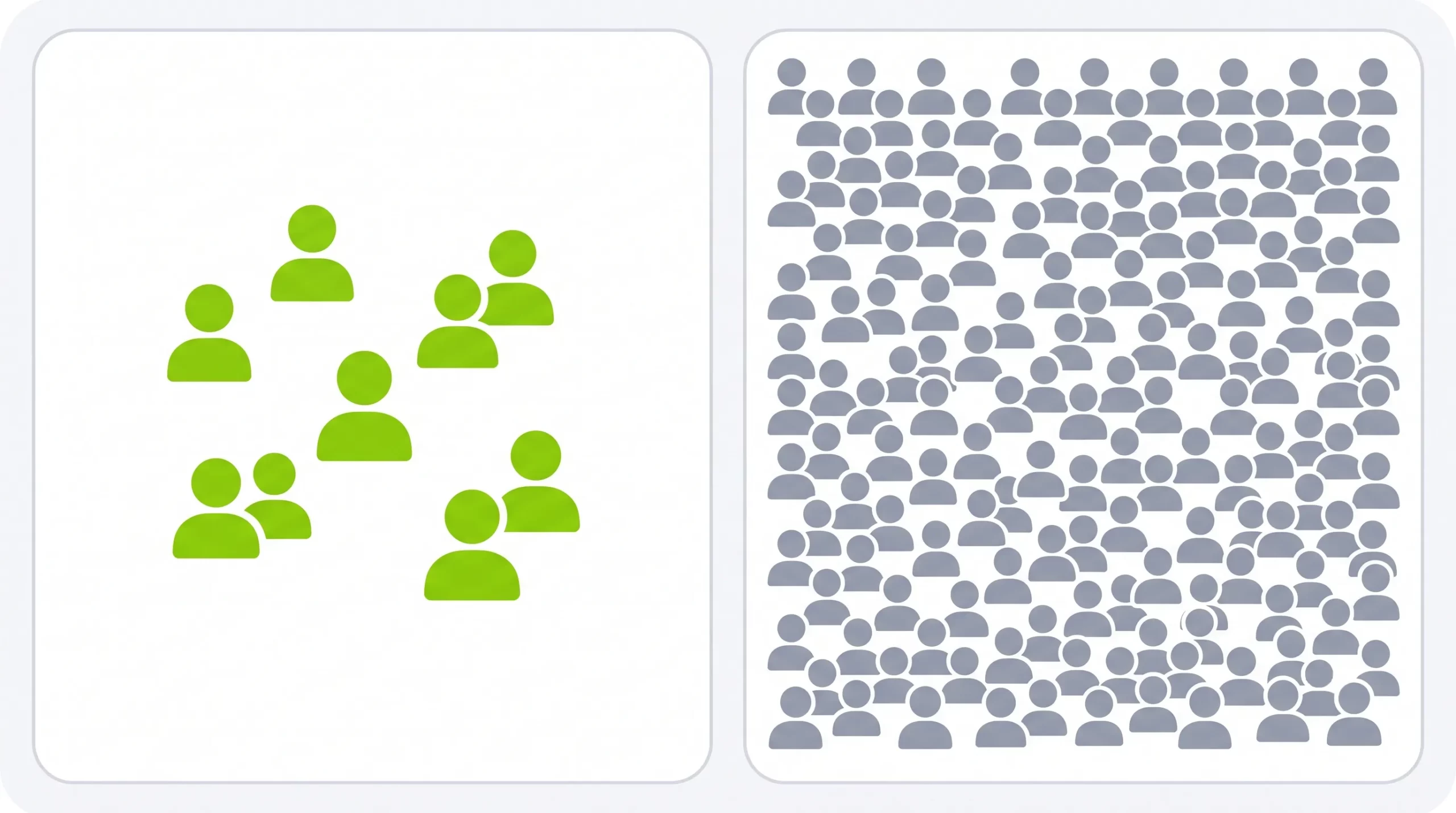
- Under 10 applicants. The platform shows applicant counts on postings. Filtering to roles with fewer than 10 applicants puts you in a pool a human can still read individually. Most jobs cross that threshold in the first few hours after posting, so the filter effectively catches roles that just went live.
- In your network. Filters to postings where you have a 1st- or 2nd-degree connection at the company. That connection is your warm intro. A two-minute message to the person you already know beats a cold Easy Apply every time.
Combined, these two cut the visible job list from thousands to dozens. The dozens are the ones where an application has a real chance of being read.
Where LinkedIn works, and where it doesn't
Not every job search benefits equally from the platform. The pattern across first-person reports is clear enough to break out:
| Job type | LinkedIn is… | Why |
|---|---|---|
| Tech, product, engineering ($100K+) | Strong | Recruiter demand is high; profiles are actively sourced against senior or specialized keywords. |
| Remote-first startups | Strong | Often no in-house ATS; the platform or company careers page are the only application channels. |
| Sales, marketing, ops (mid-senior) | Useful | Recruiter reach-out works, but Easy Apply pools are large. Direct-apply pattern matters more here. |
| Entry-level, admin, support | Weak | Recruiter demand is low; pools are enormous; sub-$60K roles rarely get the LinkedIn Recruiter treatment. |
| Public sector, government | Weak | Applications usually must be submitted on the agency's own portal; postings there often aren't officially tracked. |
| Skilled trades, healthcare, hourly | Weak | Hiring happens on industry-specific boards or in-person; the platform is a research tool at best. |
If your target roles sit in the "weak" rows, the platform is still fine for company research and finding people to reach out to. The primary application channel should be somewhere else. A niche industry board or the employer's own careers page will out-convert it every time.
Profile as a magnet, not a resume
A profile written to be found looks different from a profile written to be read. The version that gets recruiter searches to land on you leans hard on concrete, matchable nouns (tools, platforms, product categories, industries) instead of adjectives about how you work.
✗ Recruiter can't find this
"Results-driven marketing leader with a track record of building high-performing teams and driving cross-functional initiatives."
✓ Matches a real search
"B2B SaaS demand-gen lead. HubSpot, Marketo, Salesforce, Google Ads, LinkedIn Ads. Scaled inbound pipeline from $2M to $8M ARR in 18 months."
Two things the second version does that the first can't. It names five specific tools, each one a recruiter search term. It puts a quantified outcome next to a specific category (B2B SaaS demand-gen), which is what a sourcer's boolean query actually looks for.
Two things worth leaving off: your specific street-level location and personal interests. The location is a stalking risk that pays back nothing (metro area or state is enough). Personal interests almost never help a search but can quietly bias a reader against you.
Is LinkedIn Premium worth it?
For most job seekers, no. Premium adds InMail credits (the ability to message people outside your network), applicant insights (where you rank against others for a given role), and unlimited profile-view visibility. None of these change the underlying dynamic that Easy Apply pools are too large and recruiter inbound is what drives outcomes.
Premium is worth trying in one narrow situation: you're targeting a small, defined list of companies where you want to cold-message specific hiring managers, and the InMail credits give you a way to do that at scale. For general "I'm applying to a lot of jobs" use, the free tier does everything the paid tier does that matters.
If LinkedIn isn't producing, the bottleneck usually isn't LinkedIn
Three weeks of active applying with no interview requests typically means one of two things. Either the resume isn't matching what the posting is asking for, or the pool of postings you're applying to is stale and half-filled before you saw it. Neither is a platform-specific problem. Both would happen on Indeed, Glassdoor, or company careers pages too. If that's where you are, the full playbook on how to find a job fast covers targeting, timing, and follow-up in more depth than fits here.
If the bottleneck is the 20 minutes of manual tailoring per application, that's what auto-apply takes off your plate. It's not spray-and-pray. The resume and cover letter get tailored to each posting, ghost jobs are filtered before you see them, and you keep approval on what actually gets sent. Conversion runs around 3–4%, which sits above LinkedIn Easy Apply's 3.3% and roughly matches the top manual channels. The LinkedIn discovery flow stays exactly as it is.
Sources
- Published analysis of Huntr Q2 data (461,000 applications; LinkedIn 3.3% application-to-interview conversion, Google Jobs 9.3%, Glassdoor 7.3%)
- Greenhouse, State of Job Hunting (ghost jobs 18–22% of platform postings)
- Hiring-manager and third-party recruiter first-person accounts, r/jobs (Easy Apply bucket sizes, recruiter inbound patterns, $100K+ threshold, applicant filter tactics)
- JobHire.AI, The Best Way to Find a Job Fast (targeting, timing, follow-up playbook)